Full description of AMBER Service Desk
AMBER Service Desk – Request Processing Center

Accepting applications from all channels in a single window mode
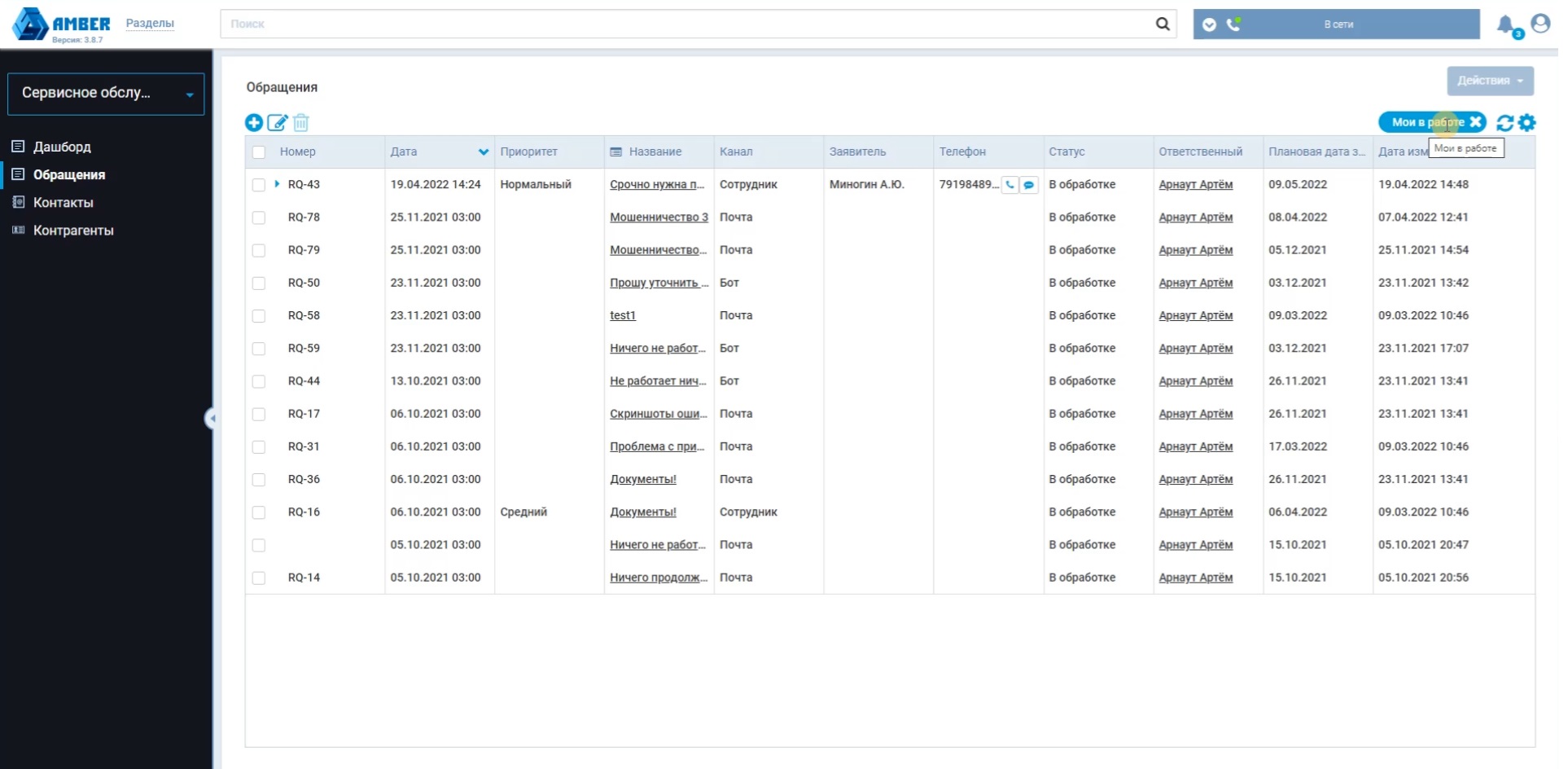
From internal and external customers, all applications are sent to the AMBER Service Desk with detailed information on the request: date and time of receipt of the Application, channel, contact details of the applicant, etc. The system automatically determines the priority of the application, appoints a responsible employee according to a predetermined scenario, fixes the status, assigns a task.
Configuring routing rules and filters
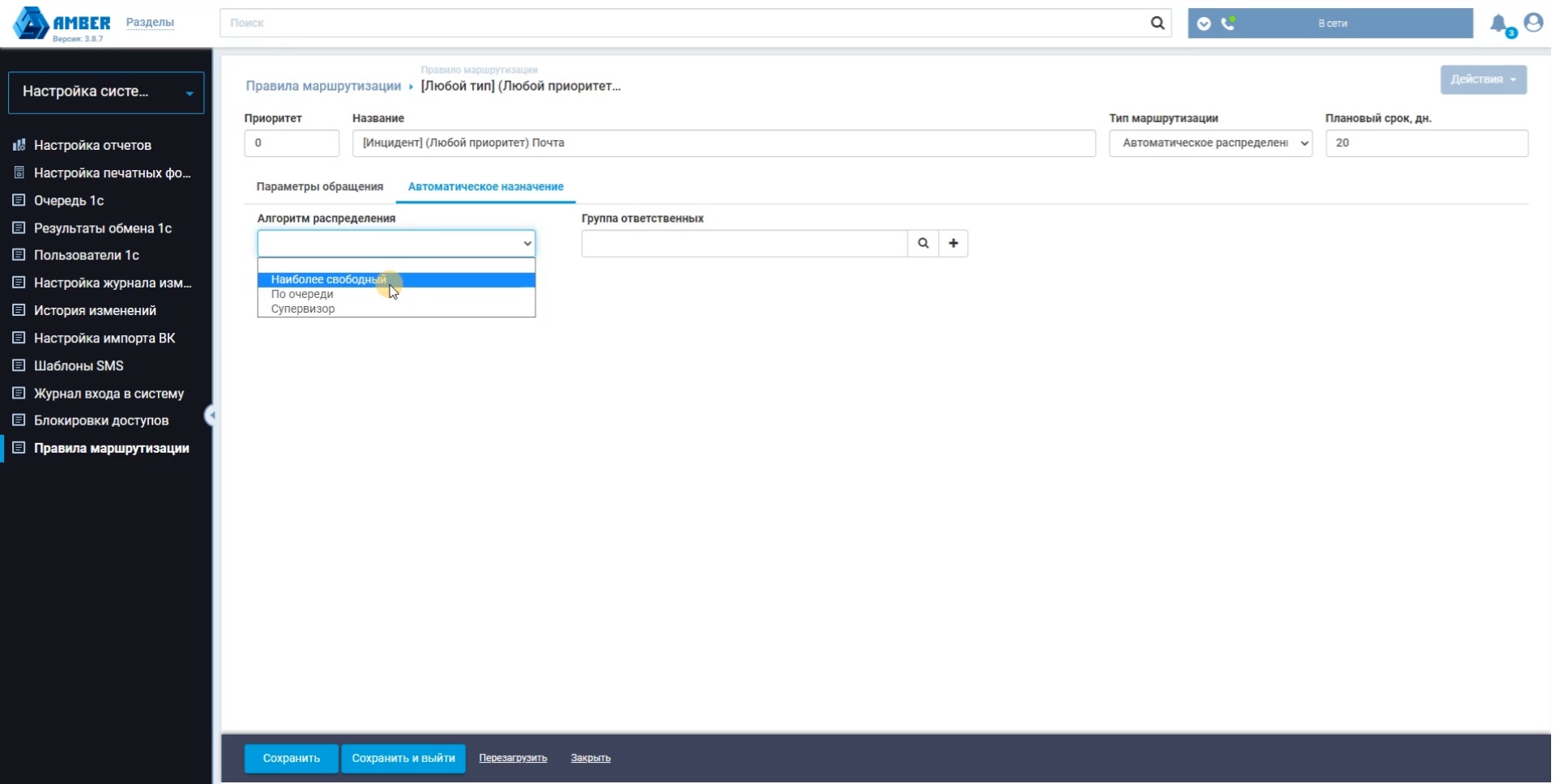
In the AMBER Service Desk system, the User can independently choose the rules for routing Applications according to the established regulations. To segment and control the status of applications, you can configure filters for any groups of parameters and save them in the interface for convenience.
Storing complete information about customers and their contact history
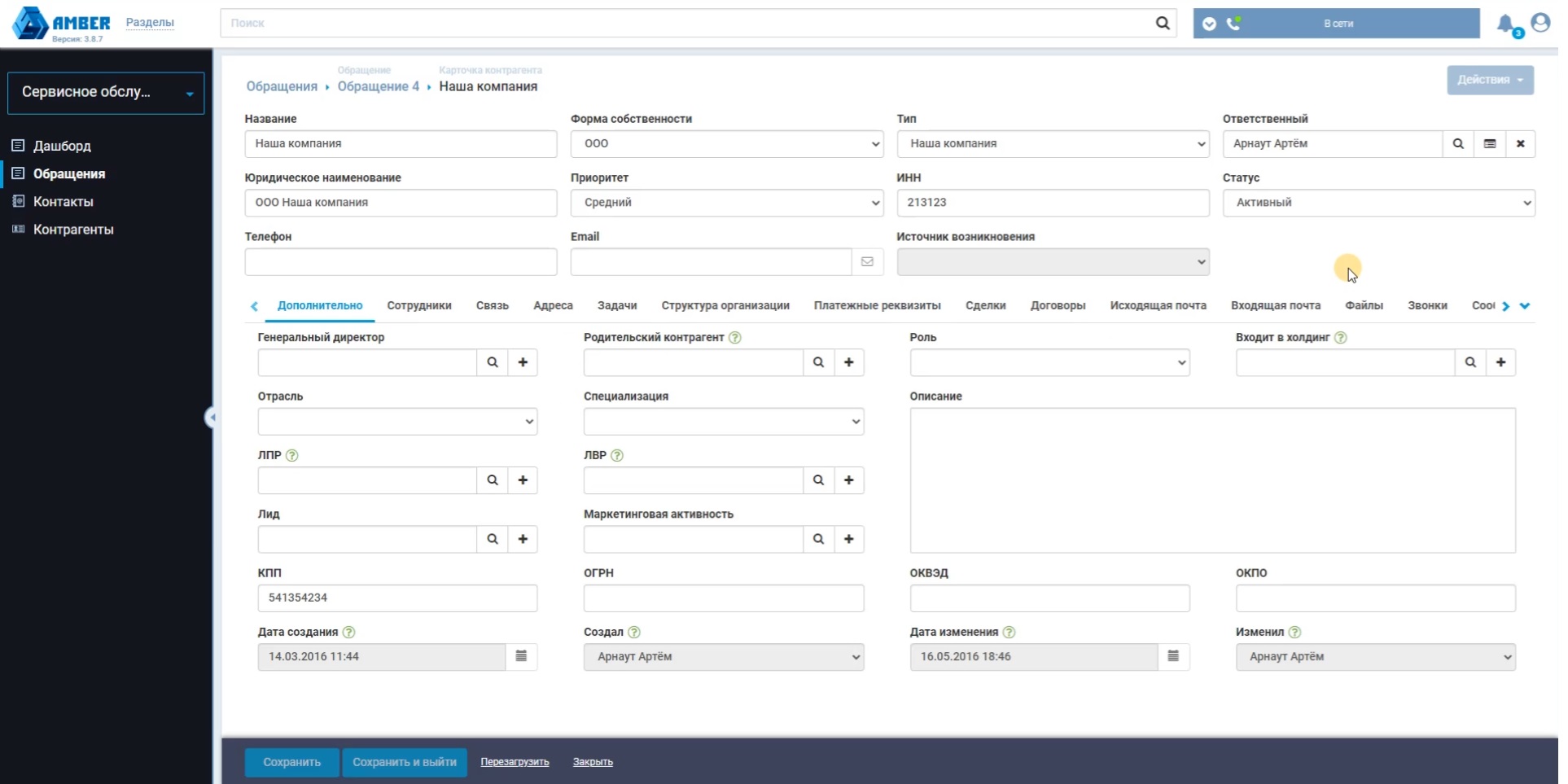
All information about your customers and their requests is stored in the System in a conveniently structured form. The cards of customers, employees, requests and other objects in terms of visibility/invisibility of fields and tabs are configured at the implementation stage. Amber Service Desk has several tools for convenient information search, including contextual search, for embedded documents
Setting up business processes for handling requests
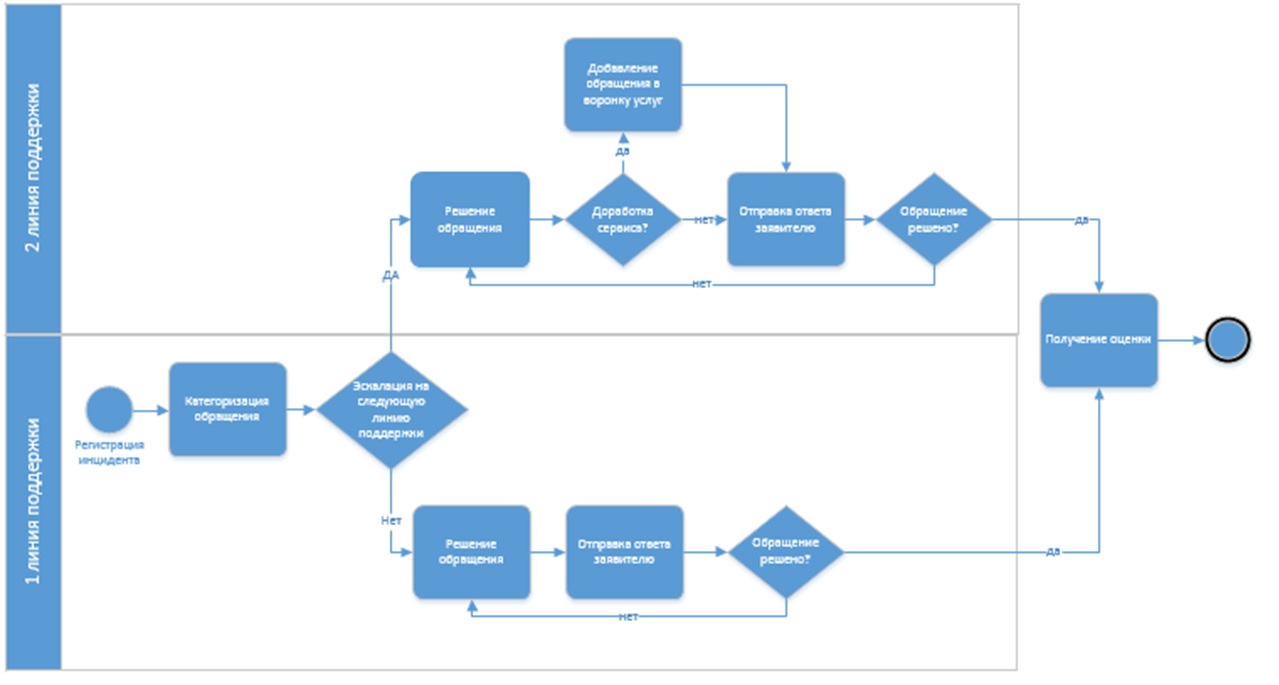
The AMBER Service Desk has built-in standard business processes: registration and routing of requests, distribution of requests by category, notifications about the stages of processing requests, registration of incidents, employee performance assessment, knowledge base and others. If your processes do not fit into the typical ones, they can be implemented at the implementation stage using the business process designer built into AMBER Service Desk (you can add a cross-reference to the platform page). The system provides a classification of requests, a portfolio and catalog of services, SLA and service specifications. All directories are expanded at the user level.
Integration with IP telephony
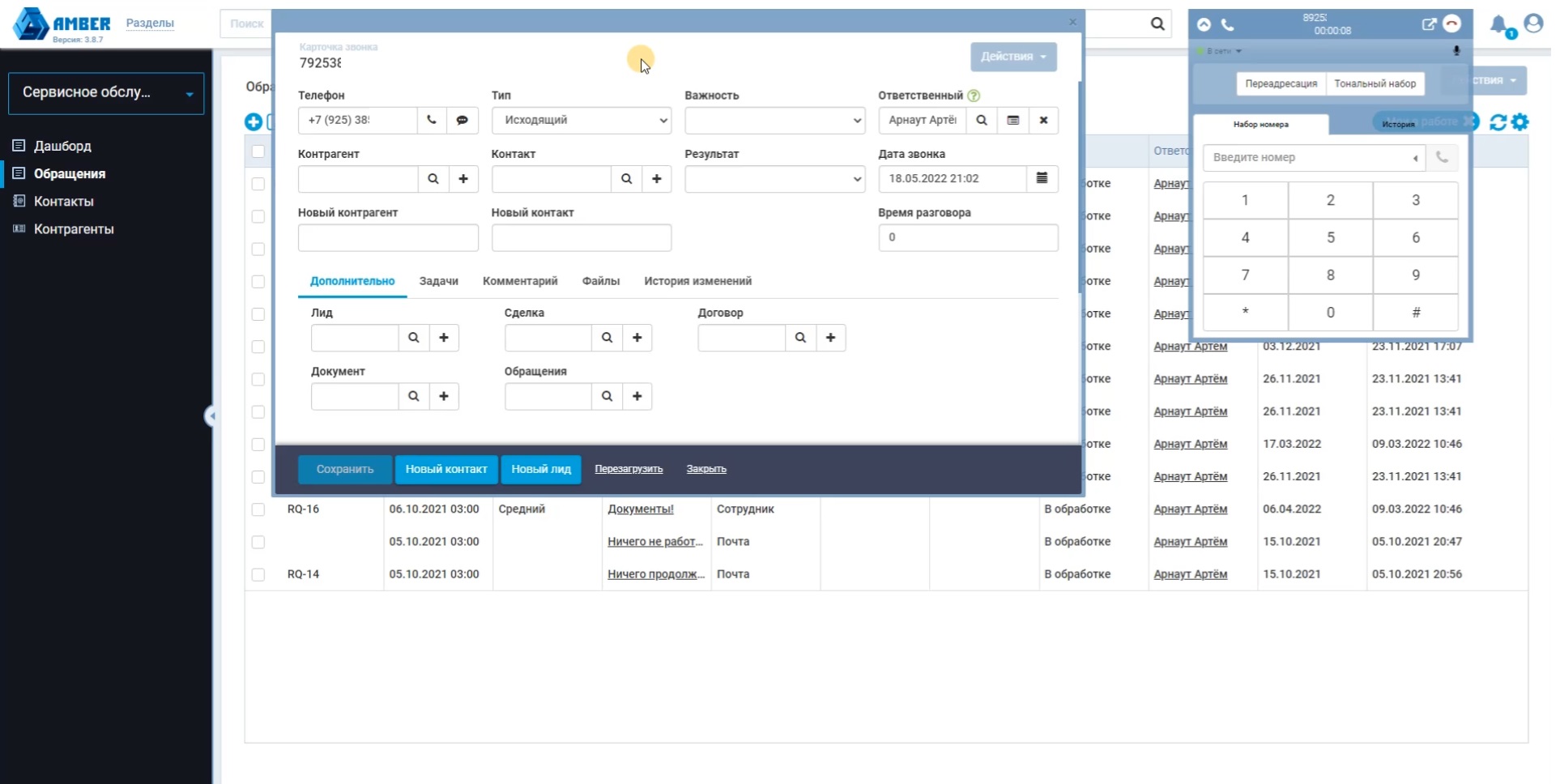
AMBER Service Desk has a built-in module for integration with any telephony. With the integration configured, the user can receive and make calls from the system interface. At the same time, all conversations are saved on a separate tab in the Counterparty or Contact card. When an incoming or outgoing call occurs, the user has a pop-up call card in which some of the fields are filled in automatically. During the conversation, you can leave a comment in the call card and create a task.
Receiving requests via Telegram or Viber bot
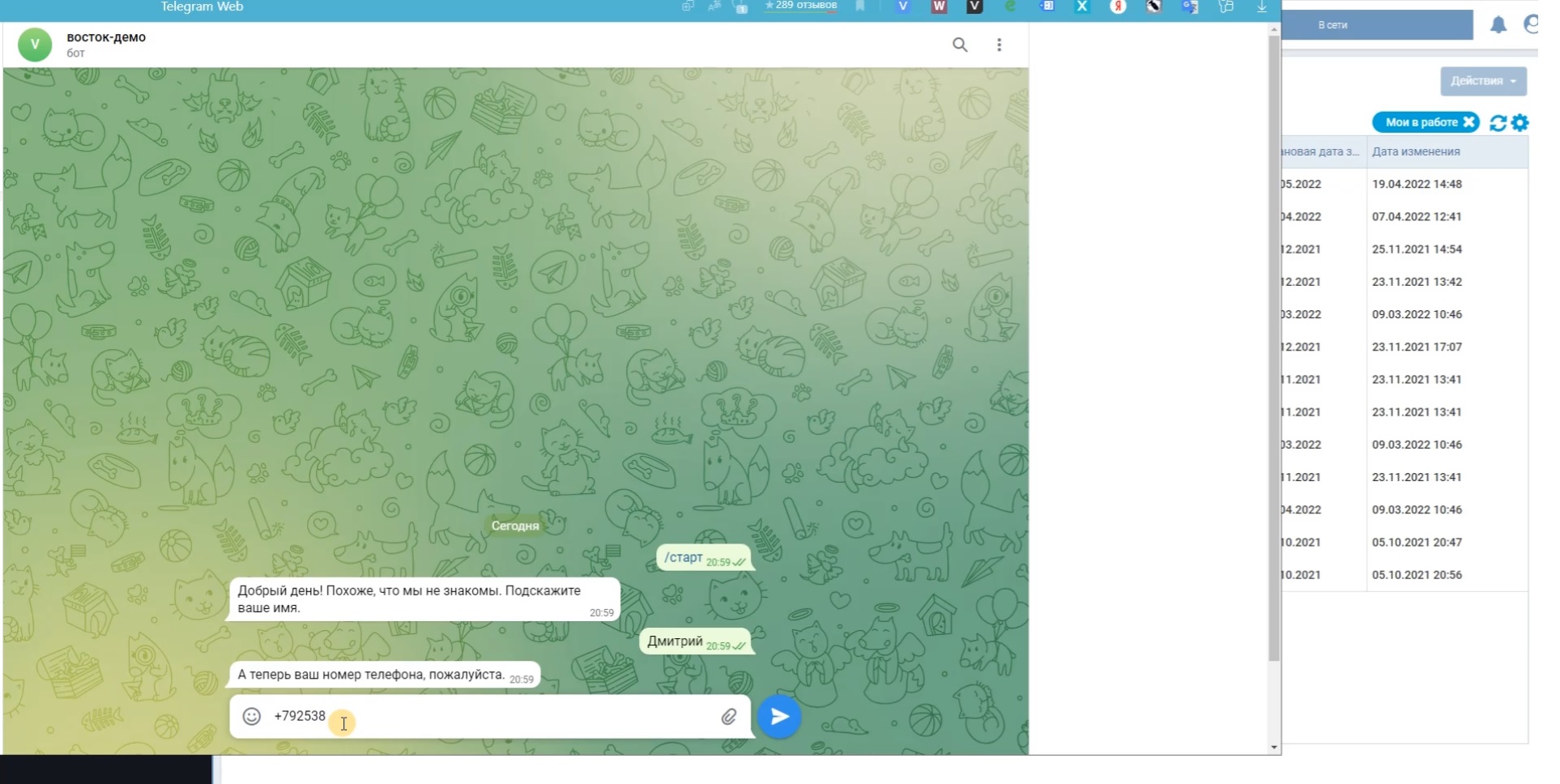
The AMBER Service Desk provides users with the ability to use bots to send requests. In order to submit a request, the user needs to launch a bot, specify a name, phone number and describe their problem. The application is registered in the System, where it is assigned a number and a responsible person is assigned.
Integration with the website, landing pages, and online consultant
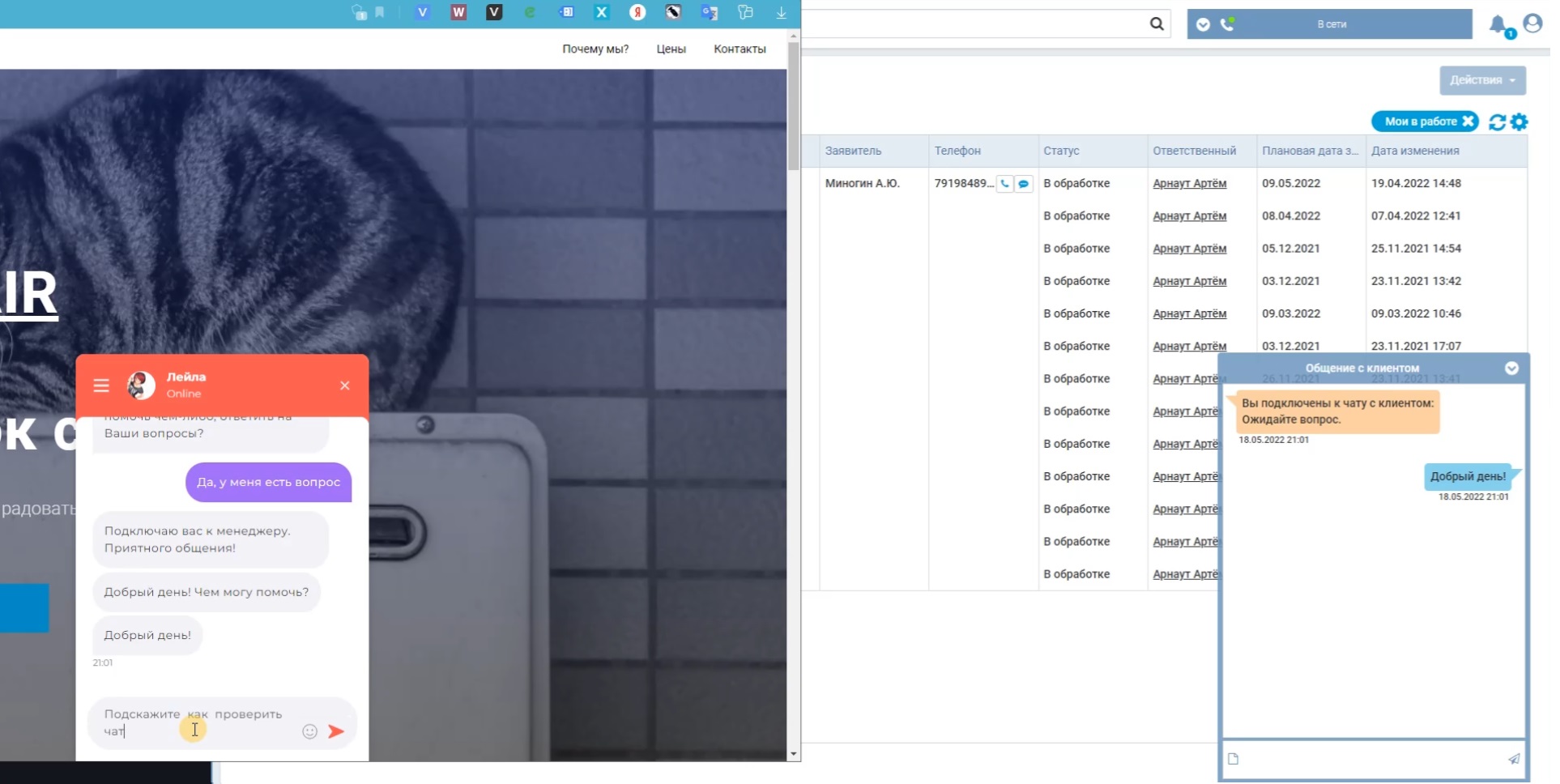
In AMBER Service Desk, Customer requests can come from the website, landing pages, installed on the online consultant’s website. The integration is configured by the Customer independently using the REST API and instructions, or by the Developer at the implementation stage. integration with an online chat on your site is available, with the help of it your customers can contact you online, send a message or get a response from the knowledge base and solve the problem themselves.
Knowledge base for working with standard requests:
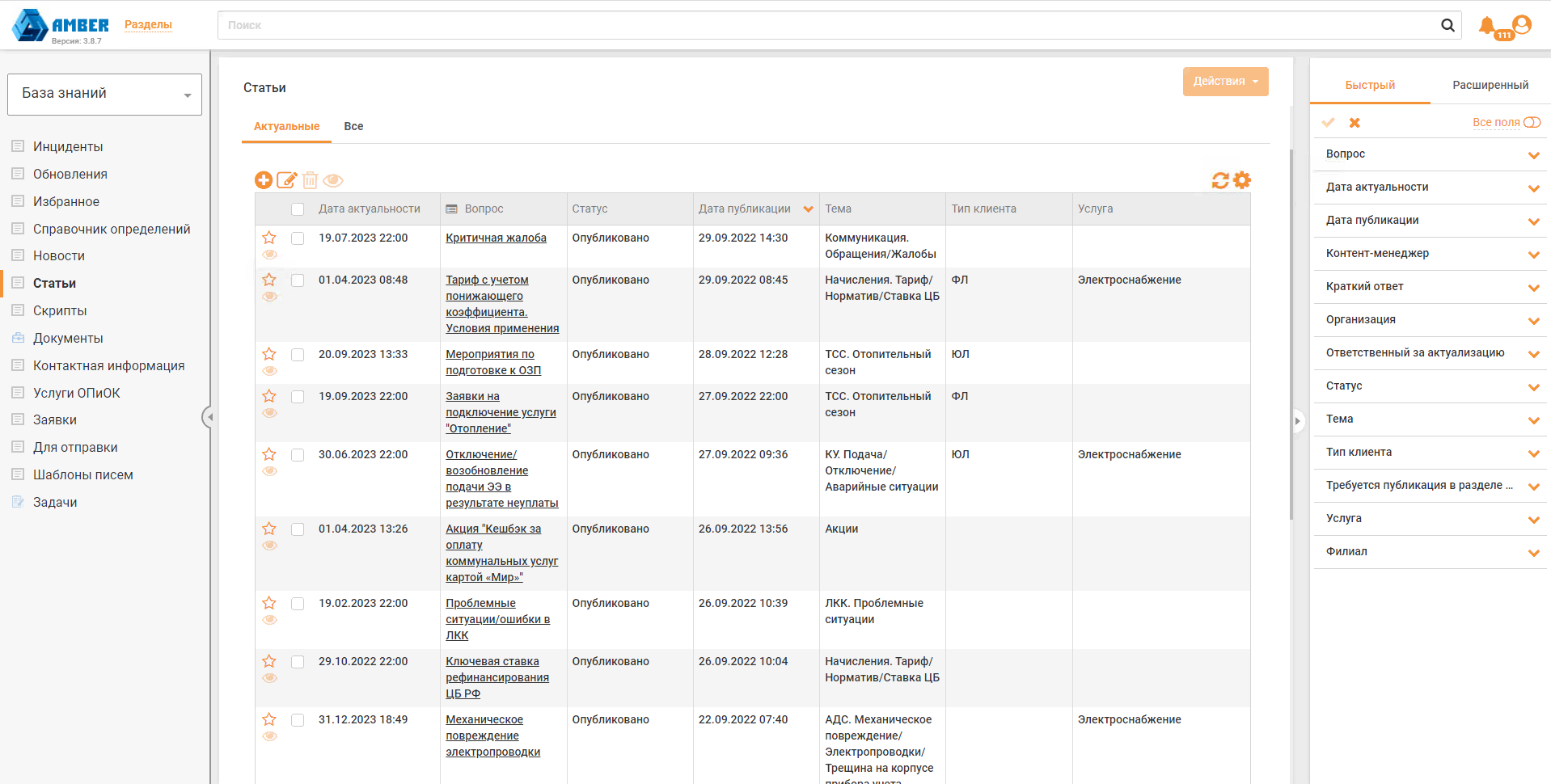
You can set up a Knowledge Base in the System that describes the most common incidents and how to resolve them. The customer can add any useful articles, notes, structure information, configure access of their own employees to the necessary sections in the context of their rights and powers. Documents from the Knowledge Base can be pulled up as tips for operators and managers when working with Applications.
Transparent analytics for evaluating the performance of services
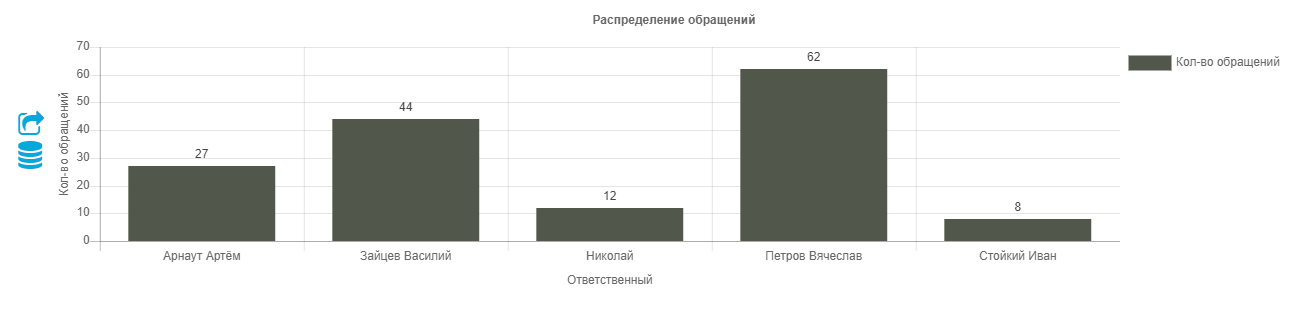
AMBER Service Desk has built-in standard reports, thanks to which you can evaluate the effectiveness of technical support and service staff. List of reports: